Strawberry Remote Controller
-
I created a remote controller for this player. It is only for Android devices. I will provide a link to what I have made so people can let me know if there is an interest in continuing my work. I would need my code reviewed and added to the main program for this to work. I only made it for a medium sized screen, but will make more if people are interested. Also, with Google changing its policy on side loading apps, if people do want me to continue, I will need testers for this, and they apparently would need to have a link sent to them from Google. I have not yet put anything online other than the code itself and a readme with some images and functionality write-up.
A known issue is when songs are added to the player screen via drag and drop, it has default values (id = -1, cover image is empty etc). It tends to mess with the playlist until the program is closed and the playlist is saved. Once restarted, the app sees the proper information.
Here is the github link: https://github.com/jacktolmie/strawberry_app
Be kind, this is the first real program I have made. I am hesitant to put it in public

-
@FuzzyBottom
Could you add build instructions and how to publish the build on the phone?
How does strawberry communicate with the remote? -
@jonas I can create an install file for side loading it on devices. It was created with Android Studio, so I should be able to create an APK. If people are interested, as stated above, I can get it up on Play Store where people could download it from there. Still figuring out that side of it though. As for testers, I do not really need testers, as much as I need people to use the app, and let Google know they are using it. They can send any issues to me, so that I can fix them etc.
As for how it communicates, everything is send via JSON. The server receives something like:
"{"command":"remote-changed-playlist","id":13,"from-index":0,"to-index":1}"
On the server side, it just communicates with the functions you already incorporated, and sends the data to that, then broadcasts a JSON response back to any clients connected to the server. I made no changes to any of your code, other than adding some Q_EMITs here and there to send changes, and I added a Remote Controller section in the settings section. If you want to see what I made, I will make my changed version public (I just forked your work), and you can view it if you so desire. It is mostly under the "src/remotecontroller/" folder.
https://github.com/jacktolmie/strawberry_remoteWith anyone having concerns about malicious code etc, I believe things like Claude AI etc should be able to view my code on GitHub, and let them know if anything is shady. A lot of it was done with help from AI, as I was learning this as I went along. Also, if they want to run a VM and install Android Studio, and the requirements needed to run your work on it, they could test it there and see if anything shady happens.
-
@FuzzyBottom Is this duplicating what I've done? Testers needed
-
@poldi54 After reading your latest post, it does seem that they are quite similar. You did not have any playlist support when I was working on mine. Mine is Android only. I might change it to support Apple, but am not sure yet. This might be a case of, there were no apps, now multiple for remote control
. Do you have any screen shots that I can look at? Mine are on the git page I provided. I would be interested in seeing your work, and if anything, maybe we can work together. Is yours Kotlin based? I read somewhere someone here was making one with Qt. -
@FuzzyBottom I have (arguably) the oldest PR for this. I created a debian release here and and you can get the android client by signing up as a tester either via
App store https://play.google.com/store/apps/details?id=com.zudiewiener.strawberryremote
or
Web
https://play.google.com/apps/testing/com.zudiewiener.strawberryremoteScreenshots are from the emulator on Ubuntu. I also have a Qt linux client to help in testing.
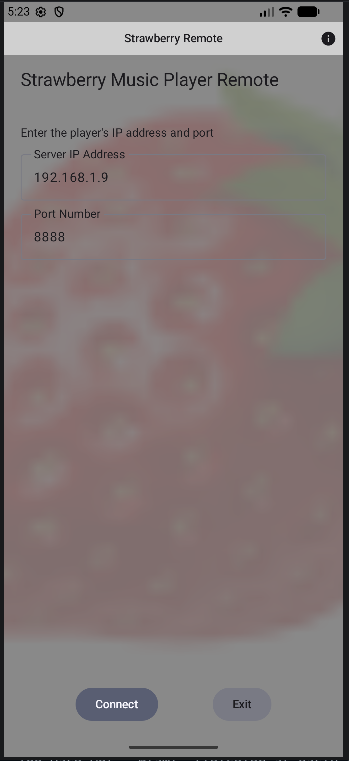
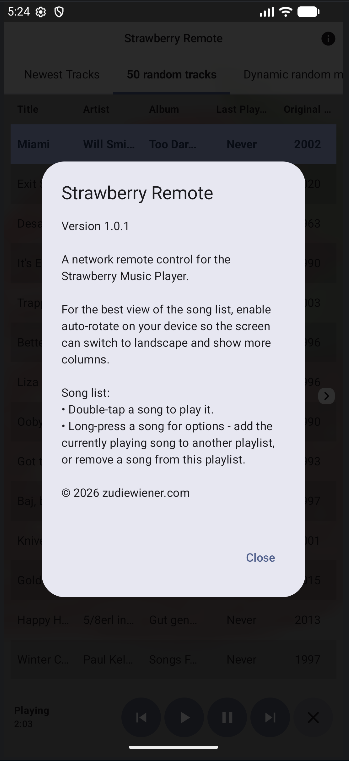
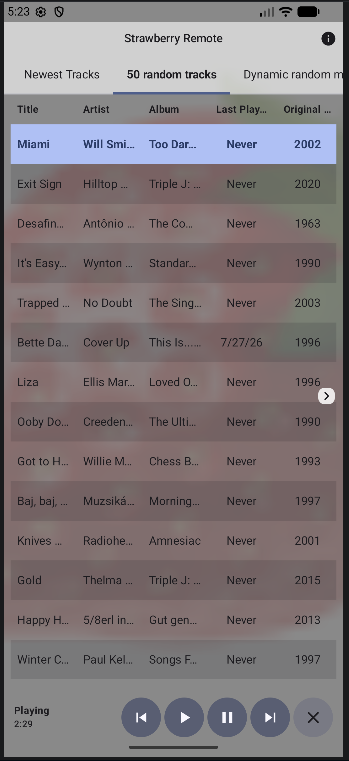
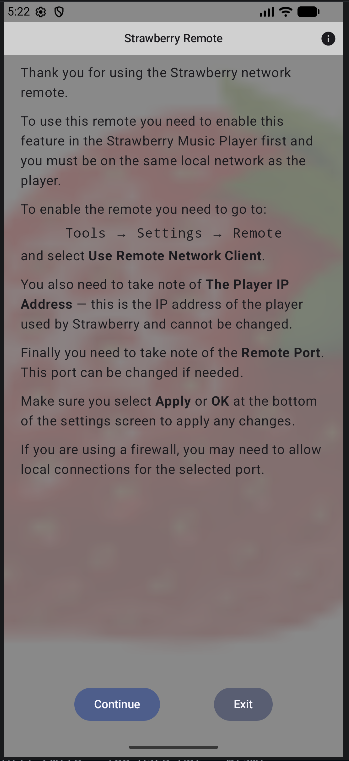
-
Thank you for the screen shots. From what I am seeing, they are similar. One of the things with mine, is it is more of an API (of sorts). It takes JSON input and works with that. It sends changes as JSON as well. Anyone can create an app or web page etc, and use it to communicate with the server. It is built on Kotlin, so it is native to Android. It is password protected if desired. Not that it is important on a local network, but I was looking at screenshots from the old Clementine app online, and saw they had a password. I think that would be handy in situations where you have roommates or family that you do not want them to access your player and start messing with your songs as you are listening
-
@FuzzyBottom Fair point re. password protection. I could add this as an config option in strawberry.
mind you, right now it looks like there is harldy anybody interested in this feature anyway -
@poldi54 I agree with you on the interest. I started this as a project to kill time. I will keep working on it, and if anyone is interested, they will have a choice between both of ours. Looking forward to seeing more of your screen shots etc. I will be posing more on my github page soon. Working on various screens, rotation etc currently. If you ever want to make one that deals with JSON files, let me know and we can work together on the server side using those commands so they work for both of our controllers.
-
I added more screen shots on the github page. It shows different screen orientations with light/dark mode etc. It works for phones currently, and I will be making tablet layouts, and maybe foldable devices as well. I might look into adding smart playlists, and if I can, some radio options. Not sure how that works yet, but will look into it.
https://github.com/jacktolmie/strawberry_app -
I have now added a token that protects unwanted changes to a playlist via a client.
