• Categories
    • Recent
    • Tags
    • Popular
    • Users
    • Groups
    • Register
    • Login

    How to change track ratings.

    Scheduled Pinned Locked Moved
    Technical Help
    3
    3
    35
    Loading More Posts
    • Oldest to Newest
    • Newest to Oldest
    • Most Votes
    Reply
    • Reply as topic
    Log in to reply
    This topic has been deleted. Only users with topic management privileges can see it.
    • N
      new_user
      last edited by

      I can't find a way to change the ratings on any track, MP3 or flac.

      I've installed Strawberry from the Debian apt store, and I've tried Flathub too.
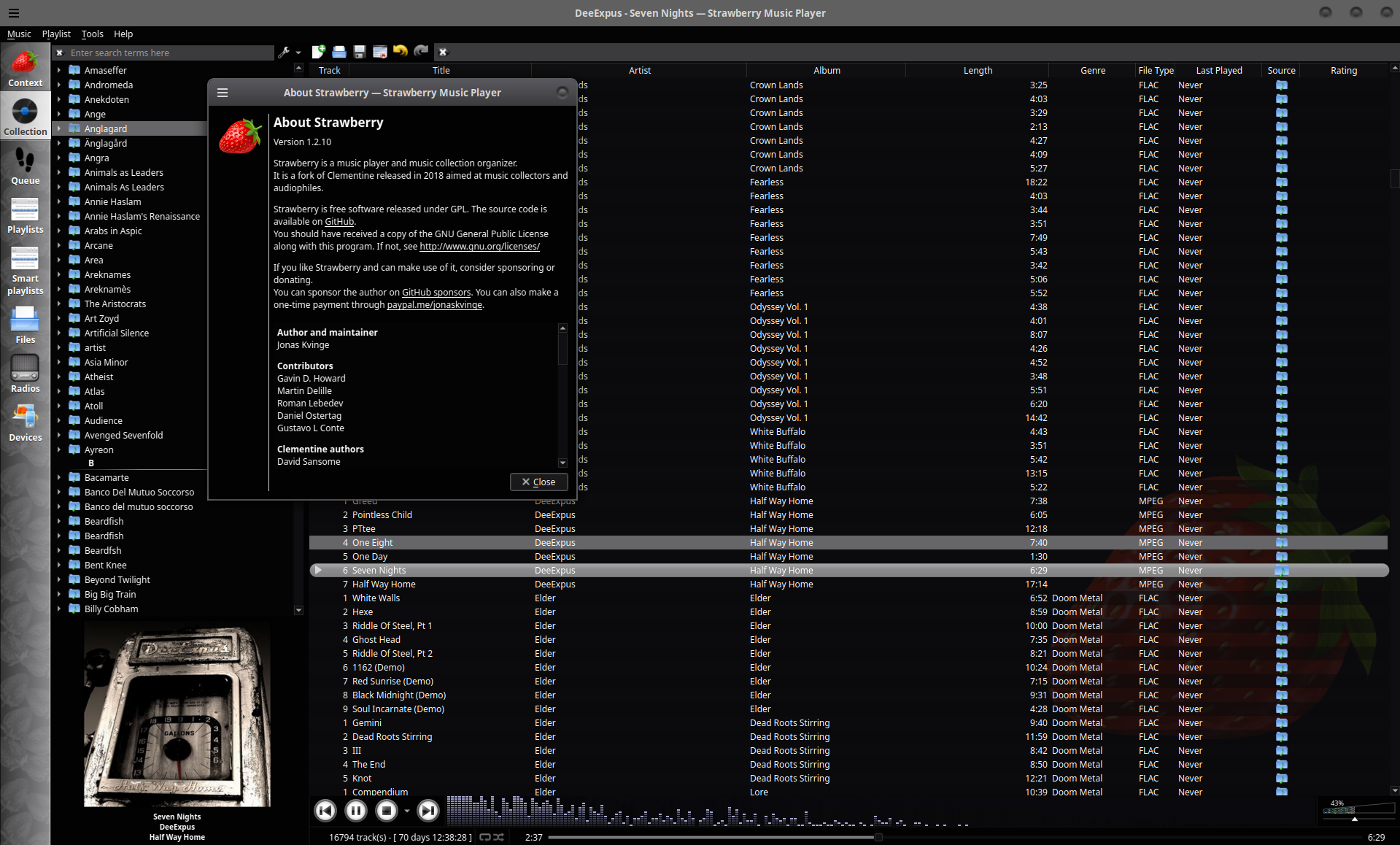
      Screenshot from 2025-12-30 12-19-27.png

      rlkeeneyR jonasJ 2 Replies Last reply Reply Quote 0
      • rlkeeneyR
        rlkeeney @new_user
        last edited by

        @new_user Right-click on the column header and add the rating column from the list, then click the stars.

        1 Reply Last reply Reply Quote 0
        • jonasJ
          jonas @new_user
          last edited by

          @new_user
          Playcounts and ratings only work for collection songs. The songs aren't linked to the collection for some reason indicated by the "folder" icon, the collection songs should have a vinyl icon. Maybe you dragged the songs from a file manager or the file tab before the folders were added to the collectiob? You need to re-add the songs from the left collection panel, then it should work.

          @rlkeeney
          If you look at the screenshot, the rating column is already there.

          1 Reply Last reply Reply Quote 0
          • First post
            Last post
          Powered by NodeBB | Contributors