Solitary date-style composer tag inexplicably under "M" heading
-
@Sharky-PI
Can you send me a file that appears incorrectly? -
@jonas https://drive.google.com/drive/folders/1W4HT_7AmekeCfh6rdav01jfd3Bhx_Ij0?usp=sharing copied them here but I'm >99% sure it's not the files: I personally tagged them with that specific composer string and only that string seems to cause them to be filed under M.
I just did the same for a random song which wasn't tagged with composed, and it then becomes populated under M like the others:

-
Some diagnosis attempts from Claude, unsuccessful:
All other dates work correctly, including:
2024.10.31 ✓
2024.10.20 ✓
2024.10.10 ✓
2025.07.30 ✓
2025.09.30 ✓
All other October 2024 dates ✓What This ISN'T:
 Integer division (30 // 10 = 3) - would affect 2024.10.31 too
Simple format swap (YYYY.DD.MM) - would affect 2024.10.31, 2024.03.10
All .30 dates - only 2024.10.30 breaks
All month=10 dates - other October 2024 dates work
Hash collision or mathematical artifact
Hex/binary representation quirkCritical Finding
The sort key starts with 'M'
The grouping header comes from the first character of the sort key. For 2024.10.30 to appear under 'M', its sort key must start with 'M' (not '2' or '0').
Possible Explanations:Date parsing creates month name string - Parser detects date → converts to "March ..." (month 3) → sort key = "March..." → first char = 'M'
Specific string replacement - Code replaces "2024.10.30" with month name starting with 'M' (March, May, etc.)
Locale-specific format string - Date formatter outputs "M..." format for this specific date only
Sort tag generation bug - Composer field has special date handling that generates month-based sort keysTheories That Fit
Month 3 (March) Connection:30 - 27 = 3 → March
Some wrapping/modulo creating month 3 from day 30
But why doesn't 31 also break?Most Likely:
Specific pattern/regex matching *.10.30 or 2024.10.30 that triggers date-to-month-name conversion, outputting something like "March 2024" or "Mar..." as the sort key.
What We Can't Check (Need Codebase Access)SortText generation for composer field - does it attempt date parsing?
Date-to-string conversion - any code converting dates to month names for sorting?
Sort key logic - what generates the sortable string from composer tag?
Hardcoded patterns - search for "10.30", "2024.10.30", or month name generation
Article/prefix stripping - any "A"/"The" logic that might affect numbers?
Sort tags feature (v1.2.12) - recent addition, potential new bugFiles to Examine
src/collection/collectionmodel.cpp - sorting/grouping/header logic
src/core/song.cpp - SortText generation for composer field
Date parsing utilities
Any locale/format conversion for sorting
Recent commits related to sort tags -
-
@Sharky-PI
What OS is this on, and what locale settings do you have? -
@jonas oh weird.
Ubuntu 25.04, language English UK, formats USA but I'll change that to UK. Currently:
locale
LANG=en_GB.UTF-8
LANGUAGE=en_GB:en
LC_CTYPE="en_GB.UTF-8"
LC_NUMERIC=en_US.UTF-8
LC_TIME=en_US.UTF-8
LC_COLLATE="en_GB.UTF-8"
LC_MONETARY=en_US.UTF-8
LC_MESSAGES="en_GB.UTF-8"
LC_PAPER=en_US.UTF-8
LC_NAME=en_US.UTF-8
LC_ADDRESS=en_US.UTF-8
LC_TELEPHONE=en_US.UTF-8
LC_MEASUREMENT=en_US.UTF-8
LC_IDENTIFICATION=en_US.UTF-8
LC_ALL=I'll reboot for UK and see if it changes anything.
-
rebooted:
locale
LANG=en_GB.UTF-8
LANGUAGE=en_GB:en
LC_CTYPE="en_GB.UTF-8"
LC_NUMERIC=en_GB.UTF-8
LC_TIME=en_GB.UTF-8
LC_COLLATE="en_GB.UTF-8"
LC_MONETARY=en_GB.UTF-8
LC_MESSAGES="en_GB.UTF-8"
LC_PAPER=en_GB.UTF-8
LC_NAME=en_GB.UTF-8
LC_ADDRESS=en_GB.UTF-8
LC_TELEPHONE=en_GB.UTF-8
LC_MEASUREMENT=en_GB.UTF-8
LC_IDENTIFICATION=en_GB.UTF-8
LC_ALL=No change to those files. The mystery deepens. This is so weird...
-
Just updated to 1.2.14, no change
-
Yes it is strange, I don't know where M comes from. The divider key is set from the sort text, but the sort text is the same as composer unless composer sort is set.
Hard for me to figure out since I can't reproduce it, but if someone else can reproduce it, here is where it needs to be debugged:
-
@jonas potentially useful data point:
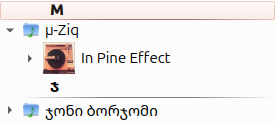
µ-Ziq, conceptually but not actually beginning with M, is filed under M, but the Georgian deep house artist below is filed under their first character.
So weird it's fine for you but weird for me though...!
(edit, this is grouped by Artist/Album, but is potentially useful info)
-
Another potentially useful datum:
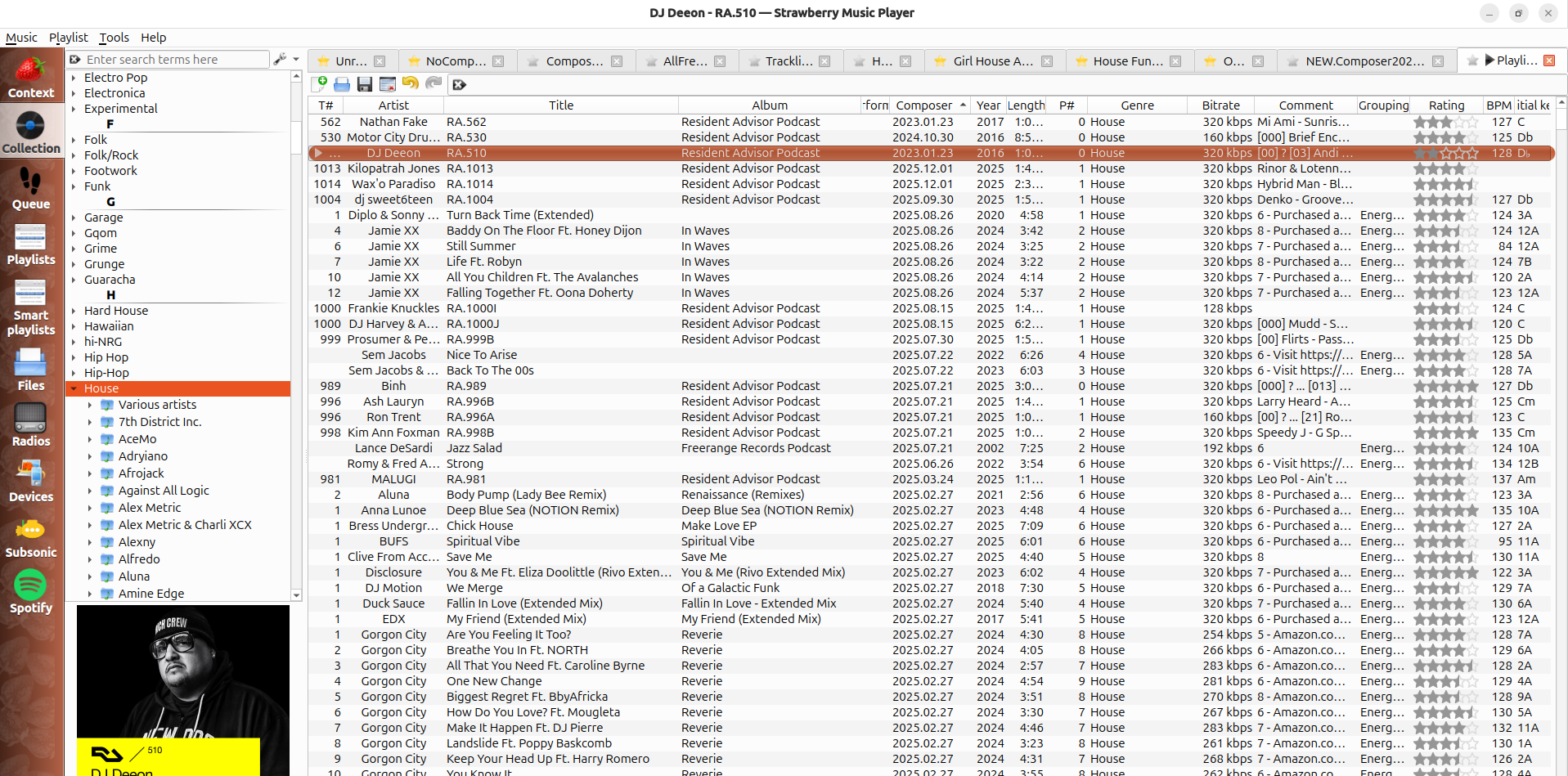
All House genre tracks dumped into a playlist, sorted by composer (my 'date added' column): works EXCEPT 2023.01.23, and 2024.10.30, both sort out of order. 2023.01.23 weirdly don't sort next to each other.
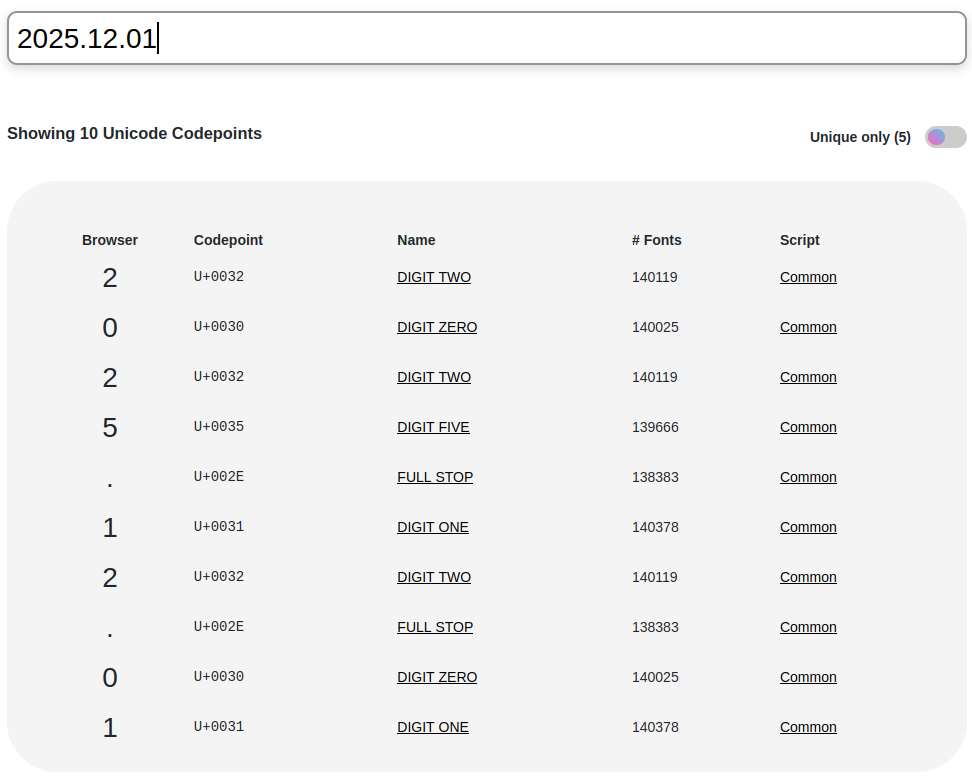
unicode characters are normal for the correctly sorted entries,
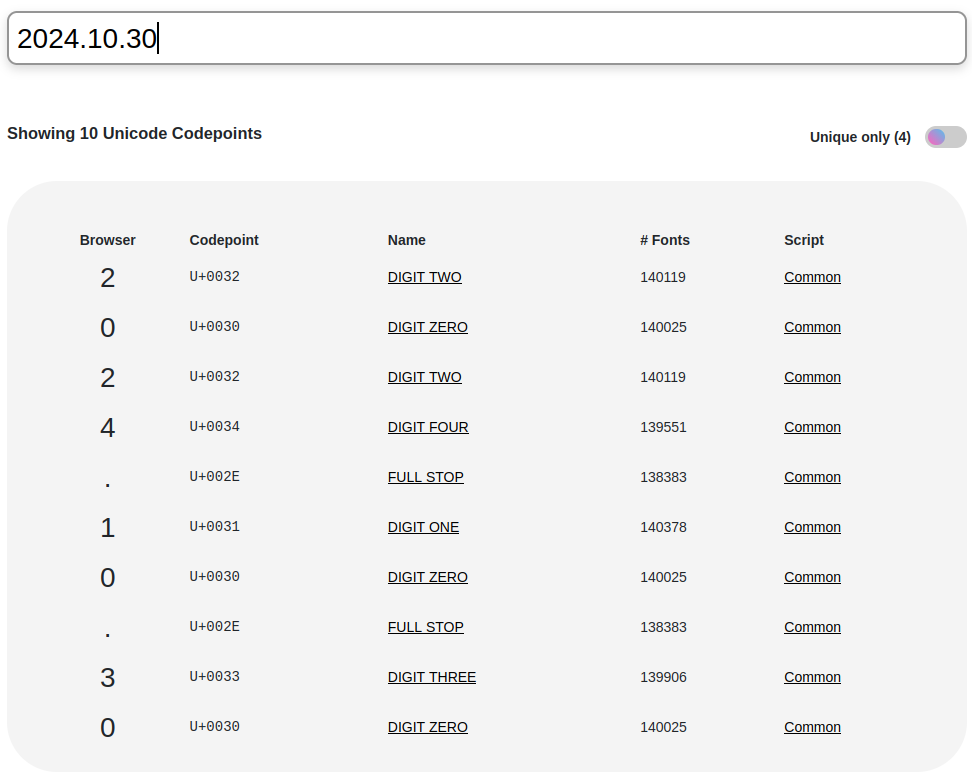
but also the incorrectly sorted ones, so it looks like it's not a characters issue (I've typed all of these manually so inserting unicode seemed unlikely but just in case)