Last.fm ignore ignore messages
-
Hi there.
I have signed in with Last.fm on Strawberry and on every other song, it shows me the following:
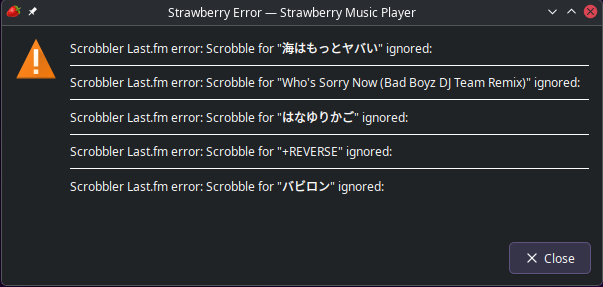
Is there a way to ignore the ignore messages generated, while keeping Last.fm scrobbling enabled?
Strawberry version: 1.2.18
OS: EndeavourOS (Arch Linux)
Installed via theextrarepoThanks in advance

-
@crakila
There is an option in Tools / Settings / Scrobbler: "Show dialog for errors".


Hello! It looks like you're interested in this conversation, but you don't have an account yet.
Getting fed up of having to scroll through the same posts each visit? When you register for an account, you'll always come back to exactly where you were before, and choose to be notified of new replies (either via email, or push notification). You'll also be able to save bookmarks and upvote posts to show your appreciation to other community members.
With your input, this post could be even better 💗
Register Login