Audio device busy despite no other application actively using audio?
-
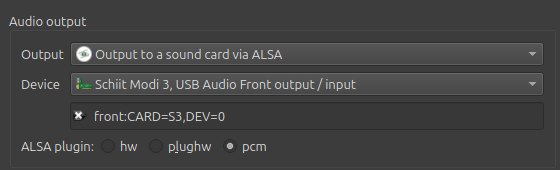
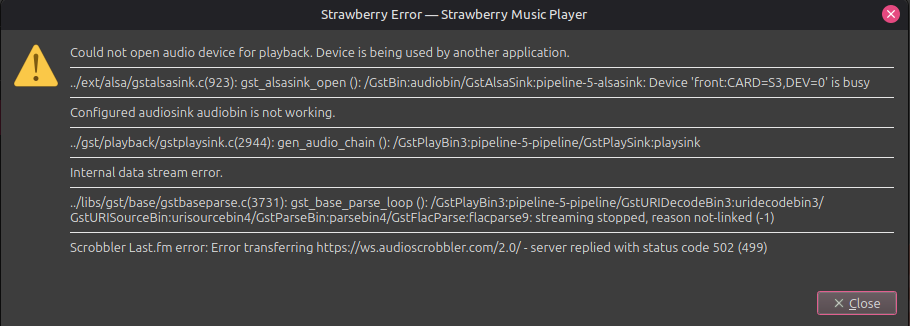
I have recently begun using Strawberry player after switching to Mint Linux from Windows 10, and am still working out some kinks in the settings of my applications, though Strawberry has been a largely seamless experience thus far. I was using the MOTU M2 soundcard without issue (mainly for music production) but have set up my Schiit Modi/Magni DAC and Headphone Amp stack and have run into a wall where the audio device is busy despite no application currently using audio. I had been watching a YouTube video before this, but that isn't playing, and the particular tab has been closed, though my browser is still open. I understand my configuration is probably for exclusive use of the sound card, but my prior experience was that audio had to be actively playing to interfere with exclusive access to the sound card. If anyone has experience with issues like this I would greatly appreciate any advice.
-
A bit of a shot in the dark here, but maybe try switching the ALSA plugin to hw instead of pcm. That's the setting I use with my DAC, but that turns everything over to an "exclusive mode". If hw works, then try switching back to pcm, if that's what you prefer. It couldn't hurt to restart your computer between changes. That's all I've got.
-
@silver-sun To clarify, I preferred a configuration where I would have exclusive mode, but for whatever reason, some other background audio process or application was taking precedent over the player. I was able to fix it just now by adding this to the pipewire.conf file:
context.modules = [
{ name = libpipewire-module-rt
args = {
# Set the desired audio device here
node.name = "strawberry"
node.exclusive = true
}
}
]Now when Strawberry player is open, nothing else will try to hog audio which was interfering with the exclusive mode configuration I set. There is a slight hangup in that it considers my audio device busy when I skip a track but will now always work again after I re-select the new song rather than staying busy, and natural song changes from the queue work as normal.
-
^^^ Don't do this... I thought it would give exclusive access when Strawberry is open but it genuinely blocks all access to the audio device for other programs. I think I will just stick with shared mode.
-
I have the same problem. It can show up randomly but if I choose next in the playlist it will happen then. If I double-click the selected song it will resume. I use ALSA and have used both HW and PCM with no change between them.
I use Linux Mint Mate.