Strawberry ignores embedded album cover and displays wrong one instead.
-
Running Strawberry 1.2.13 under Kubuntu.
Some albums refuse to display the embedded album art.
Other media players, such as VLC, correctly display the artwork.How do I fix this in Strawberry?
Thanks.
-
@rik I ended up using Claude to delete all the publisher art and waveform images that beatport adds ("a brightly colored fish" is the art tag for those for some reason).
It would be nice if Strawberry defaulted to Cover Art Front though
-
@Sharky-PI ,
I'm not sure what you are referring to.
As you can see in the relevant Strawberry settings dialog:
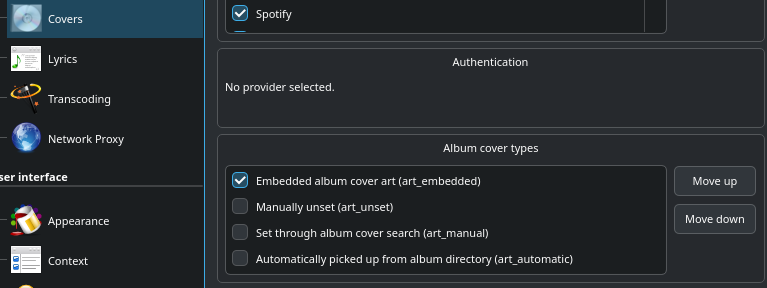
I've turned off everything except displaying the embedded album art. In this case, Strawberry displays nothing rather than the embedded album cover.
If these setting are left at their defaults, Strawberry ignores the embedded album art and instead searches the internet for a cover. This will often times end up with Strawberry displaying wildly inaccurate imagry.As mentioned previously, other media players, such as VLC, my Sony MP3 player, etc. have no such problems and will happily correctly display the embeded album cover.
How do I get Strawberry to simply display the image embedded in the MP3 file as the album artwork?
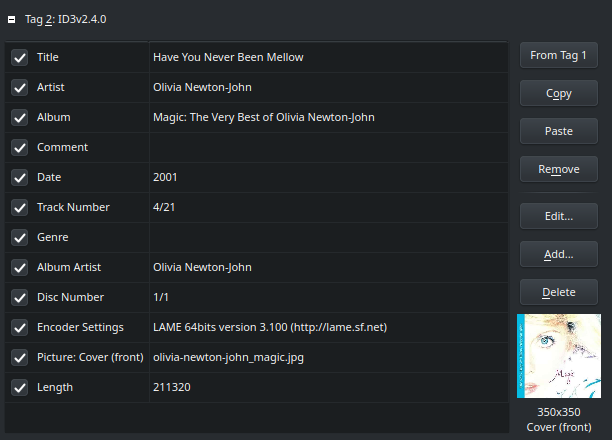
thanks.
-
@rik Oh interesting. That definitely looks like it should display. Sorry mate, not sure then

-
@rik
It works when testing here,
Can you send me a file that doesn't work in strawberry and I can check? -
@jonas ,
Sure, how do you want me to send it? Attached to a post here or some other way?
Thanks. -
I was able to stop this behavior by unchecking all the cover providers.
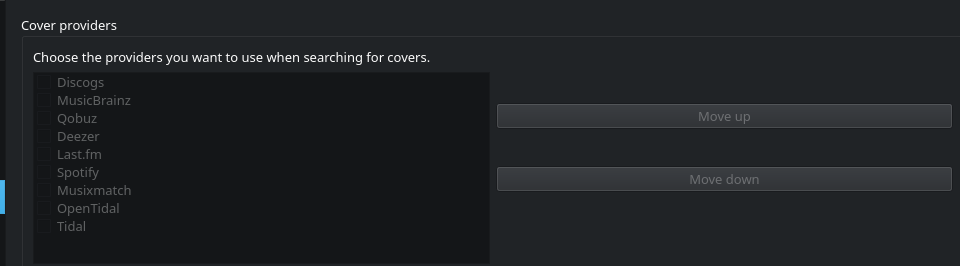
-
If I may make a suggestion, why not make things easier on yourself and put covers (ie. folder.jpg) inside each music folder? In my experience of using many different audio players, I've found that to be a far better solution than relying on embedded artwork. It also has the additional benefit of displaying folder thumbnails in file managers, if you use something like Dolphin or Thunar. If interested, you can batch process your entire music library in one step with Musicbrainz Picard, by selecting the option "save cover images as separate files" and then saving.
-
@rik
You can use a file sharing service such as dropbox or onedrive and send me the link in a private message on the forum.



Hello! It looks like you're interested in this conversation, but you don't have an account yet.
Getting fed up of having to scroll through the same posts each visit? When you register for an account, you'll always come back to exactly where you were before, and choose to be notified of new replies (either via email, or push notification). You'll also be able to save bookmarks and upvote posts to show your appreciation to other community members.
With your input, this post could be even better 💗
Register Login