email your android account/gmail to nwremote@zudiewiener.com and I'll add you as a tester with further info
P
Posts made by poldi54
-
RE: Android Remote Control App — Beta Testers Neededposted in Development
-
Does EBU R128 Loudness Normalization have clip protection?posted in Technical Help
I have a collection of around 60K flac files with music ranging from classical to jazz to techno and have, with the help of AI, looked at enabling EBU R128 and what the potential issues may be.
Looking through the EBU R128 loudness normalization code (
ebur128analysis.cpp,enginebase.cpp,gstenginepipeline.cpp) to understand how it applies gain, and I can't find any peak/clip protection in that path — but I'd like to check whether I'm missing something before assuming that's the case.What I've found so far
The gain applied is computed simply as
target_lufs - measured_lufs(EngineBase::Load), converted to a linear multiplier (10^(gain_dB/20)), and applied via a dedicatedvolumeelement (volume_ebur128_) created inGstEnginePipeline::InitAudioBin. I don't see any peak check, clamping, or limiter anywhere in that path.By contrast, the ReplayGain path creates a
rgvolume → rglimiter → rgconverterchain, andrglimiter'senabledproperty is tied to the "Apply compression to prevent clipping" setting in Backend settings. I don't see an equivalent for EBU R128 anywhere — no limiter element, no max-peak setting, nothing referencing clipping in the EBU R128 code path.Why I'm asking
I ran an external loudness scan (
rsgain custom -t -l -23, true peak, -23 LUFS target to match Strawberry's default) against my own library and computed what the post-normalization peak would be (measured true peak + computed gain). On a large, classical/opera/jazz-heavy portion of my library, a meaningful number of tracks come back with a post-normalization peak above 0 dBFS — some by quite a lot (one Vivaldi slow movement comes out over +10 dB above 0 dBFS after normalization). These are mostly quiet, sustained passages (adagios, largos, recitative, solo guitar) that are naturally low LUFS but still carry the recording's full dynamic peak elsewhere.My question
If EBU R128 normalization doesn't have clip protection built in, is that intentional (e.g. relying on the user to pick a conservative target LUFS, or on downstream limiting elsewhere in the audio pipeline/output device), or is this a gap that just hasn't been addressed yet? And if it's the latter, would something like ReplayGain's optional limiter (or a max-peak setting, similar to what tools like
rsgain's Custom Mode offer via-c/-m) be a reasonable feature request?Happy to share my test data/scripts if useful.
-
RE: Android Remote Control App — Beta Testers Neededposted in Development
@kevinbowring Hi,
I've left instructions on where to get the deb packages and the android app here -
RE: Another Remote Controlposted in General Discussion
I have now completed the Network Remote functionality, and while I wait for the maintainer to review this, I'd appreciate any feedback on this enhancement.
Network Remote allows you to control the Strawberry Player over your local (home) network, and provides the following features:
Basic Player Control: Play, Pause, Next, Previous
Playlist Control: The client shows the same open playlists as the Strawberry Player. You can add/remove songs from a playlist and create new playlists, and these changes propagate back to the Strawberry Player.
Playlist add/remove/create actions can be restricted via a token. If this is enabled, the client will ask for the token when connecting; it's optional to provide it, but if you don't, playlists become immutable from that client — playback control (Play/Pause/Next/Previous) is unaffected either way.
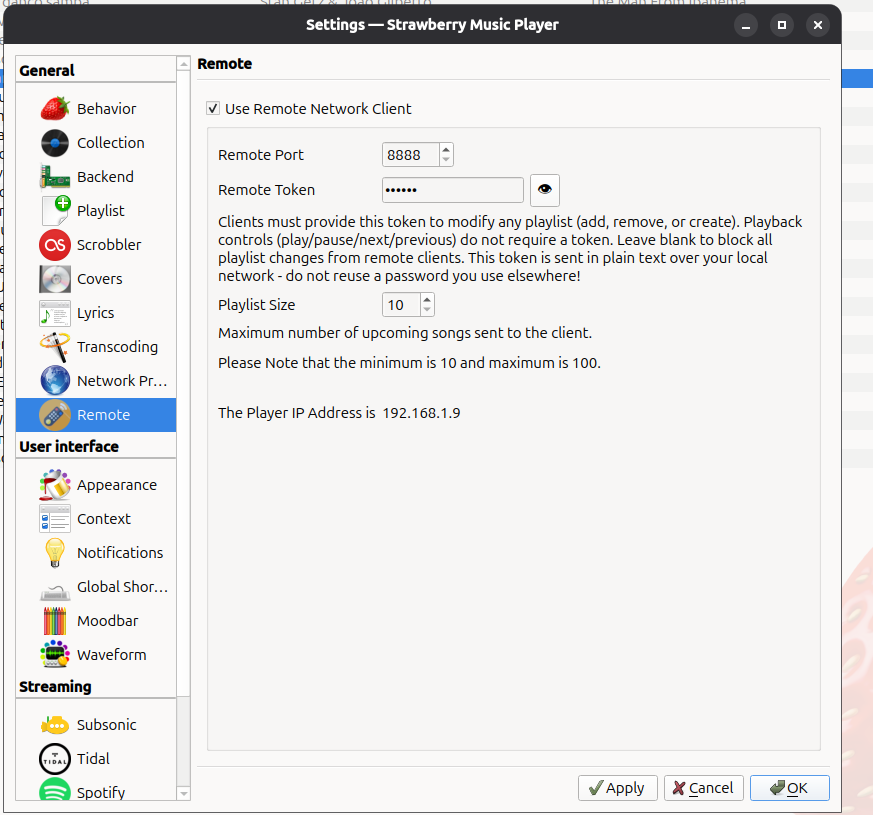
There's a new settings screen (see attached) for
- Enabliing/Disabling remote clients
- Assigning the port clients connect on
- Enabling/Disabling the token feature
- Setting the playlist size — how many upcoming songs in the current playlist are sent to a connected client
There are currently two clients available:
- A Linux client, intended primarily for testing
- An Android client, available via the Google Play Store. Note: you'll need to be registered as a tester to see the app.
Strawberry Player (Debian package) and release notes: Click here
Remote Client (Debian package) and release notes: Click hereThank you to anyone willing to test this pre-release and share feedback — it's much appreciated.
-
RE: Strawberry Remote Controllerposted in General Discussion
I have now added a token that protects unwanted changes to a playlist via a client.
-
Another Remote Controlposted in General Discussion
I've added "Remote Control" via a pull request — a feature I found useful in Clementine but missing from Strawberry.
I started this project in November last year and believe I followed the contribution guidelines.I have now completed functionality that covers my needs: remote control of the player including playlist management.
I've also written Linux and Android clients, with the Android client currently going through Google Play certification/publishing.
As I haven't had a response on the PR in a while, and I'm not sure how best to move this forward. It's possible nobody else needs this feature, but as far as I can tell it's opt-in and shouldn't cause any harm to have available.
I would like to contibute more to Strawberry, but am unable to do this until this is resolved.
-
RE: Android Remote Control App — Beta Testers Neededposted in Development
Hi Gilbert,
just curious how you tested this. -
RE: Strawberry Remote Controllerposted in General Discussion
@FuzzyBottom Fair point re. password protection. I could add this as an config option in strawberry.
mind you, right now it looks like there is harldy anybody interested in this feature anyway -
RE: Strawberry Remote Controllerposted in General Discussion
@FuzzyBottom I have (arguably) the oldest PR for this. I created a debian release here and and you can get the android client by signing up as a tester either via
App store https://play.google.com/store/apps/details?id=com.zudiewiener.strawberryremote
or
Web
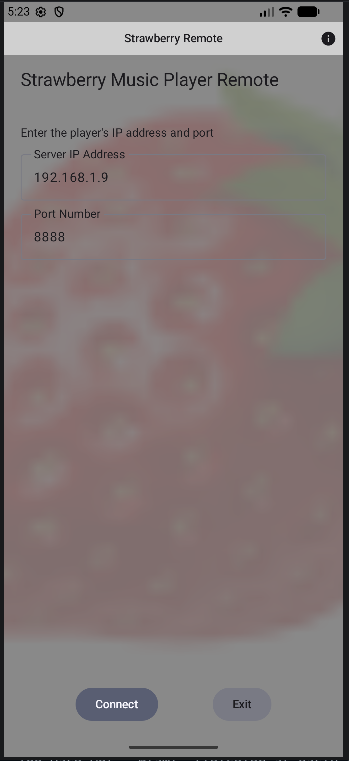
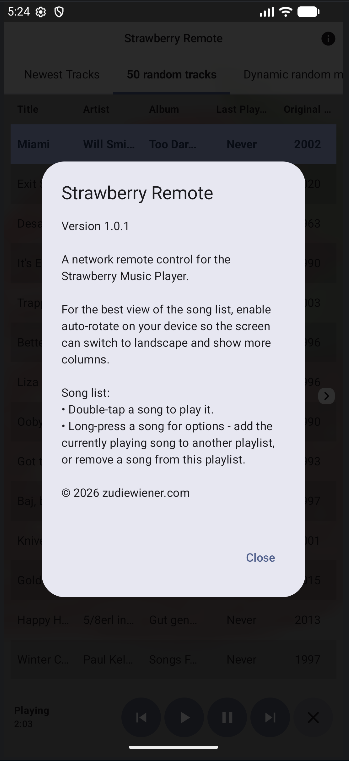
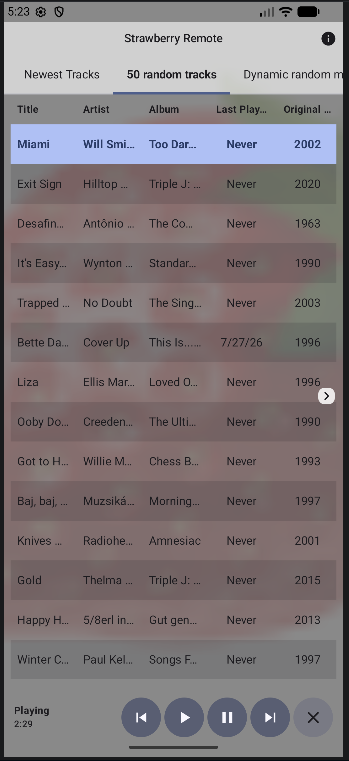
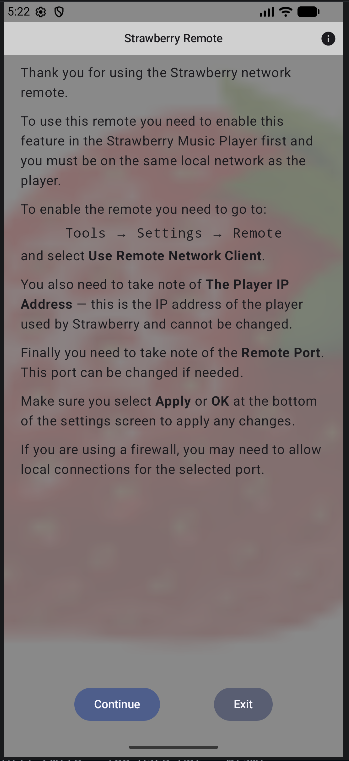
https://play.google.com/apps/testing/com.zudiewiener.strawberryremoteScreenshots are from the emulator on Ubuntu. I also have a Qt linux client to help in testing.
-
RE: Strawberry Remote Controllerposted in General Discussion
@FuzzyBottom Is this duplicating what I've done? Testers needed
-
RE: Android Remote Control App — Beta Testers Neededposted in Development
I have now extended the remote with with full playlist support:
- List open playlists and which one is currently active
- Fetch a playlist's upcoming songs, mirroring the desktop's currently
visible columns, their order, and formatting - Play a specific song within any open playlist
- Add the currently playing song to another (or a new) playlist
- Remove a song from a playlist
- Broadcast playlist-changed and playlist-activated events to all
connected clients, so state stays in sync across the desktop and
any number of remote clients"
-
Android Remote Control App — Beta Testers Neededposted in Development
While I'm waiting for the Strawberry remote control see this post to be accepted as part of the player I have developed a very basic android remote app.
The app lets you view song information and control playback of the Strawberry Music player (play, pause, next, previous) from your Android device over your local network.I'm looking for beta testers before submitting the app to the Google Play Store. It's a bit of a chicken or the egg as there will be nothing to test until the functionality has been implemented in the player and once it's there you cannot control it without the android remote.
If you're interested, please reply here or send me a message and I'll send you the opt-in link.
-
RE: Library scan after every start up.posted in Technical Help
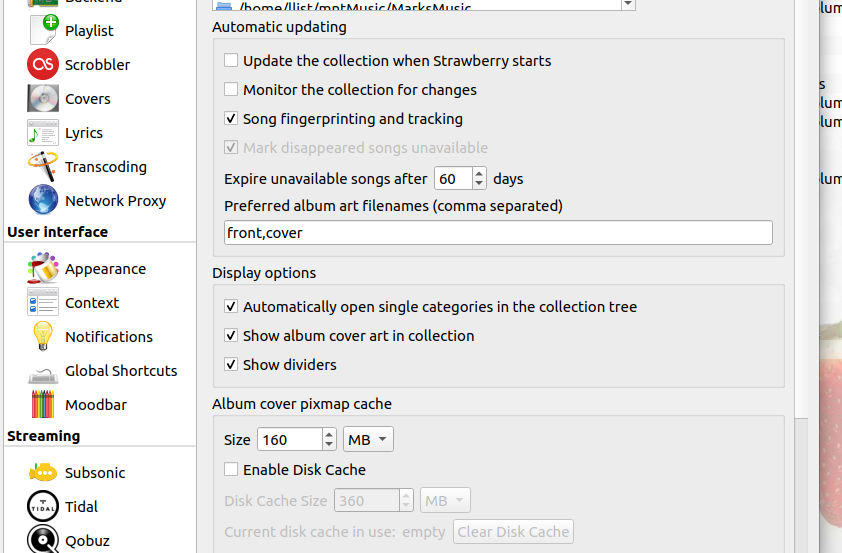
What are your Collection seetings. Mine are as per screenshot and I have 60K+ songs, which are not scanned at every startup
Cheers,
Leo