• Strawberry for ARM64: Playlists and Starting Time Issues

    1
    0 Votes
    1 Posts
    493 Views
    No one has replied
  • Album Cover on Windows

    4
    0 Votes
    4 Posts
    888 Views
    M
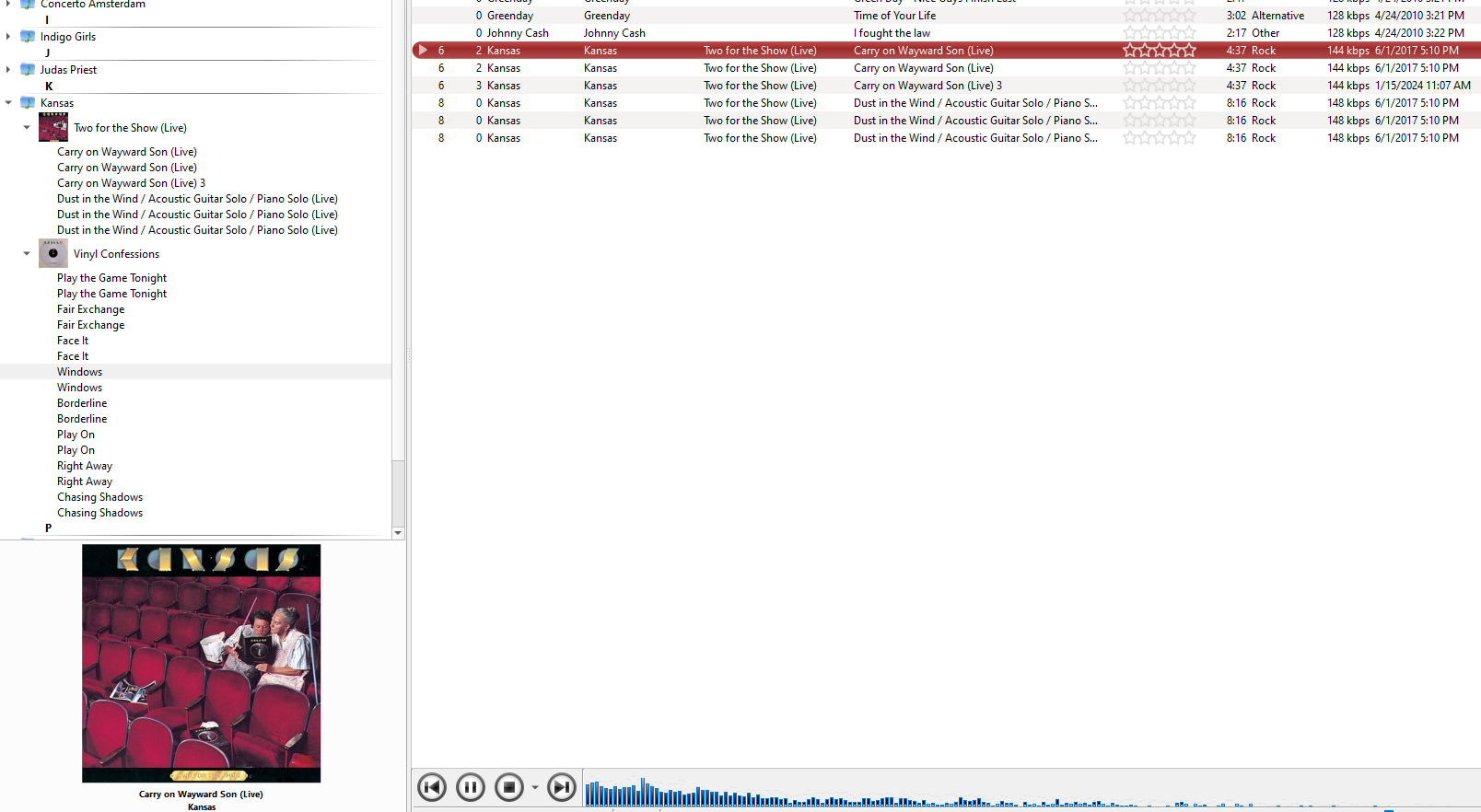
    Just realised that it was my own stupid fault. Adjusted the opacity and there it is!
  • How do you play DTS files?

    1
    0 Votes
    1 Posts
    369 Views
    No one has replied
  • Qobuz setup

    7
    0 Votes
    7 Posts
    3k Views
    M
    @jonas Not on the list. I disabled pulse so not sure if that's a problem.
  • ReplayGain and clipping protection

    1
    0 Votes
    1 Posts
    2k Views
    No one has replied
  • Problem with tracks sampling above 44100 hz

    2
    1
    0 Votes
    2 Posts
    528 Views
    jonasJ
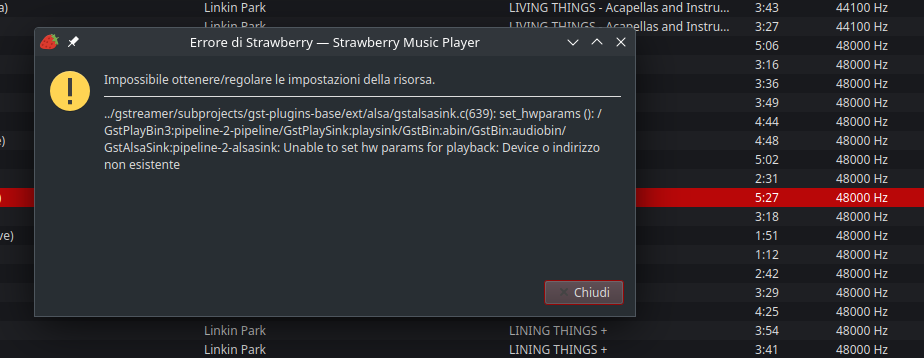
    @vikingo90 The error message is not in English, so it's hard for me to understand, but it looks to me like it does not negotiate the format and sample rate to a format supported by your DAC. If you are using the ALSA hw option, try using the pcm option instead, this will resample to 48khz
  • NTFS shared partition for collection

    2
    0 Votes
    2 Posts
    430 Views
    jonasJ
    @msdosfx I don't have much experience with NTFS on linux, and I haven't tested Strawberry with NTFS on Linux, I'm not sure if the file watcher will work. I suggest to start strawberry from a terminal and look for any debug output. Does it freeze on playback or just after starting it?
  • Is there a mechanism to exclude tracks from dynamic playlists?

    1
    0 Votes
    1 Posts
    340 Views
    No one has replied
  • Reset moodbar after file change?

    3
    1
    0 Votes
    3 Posts
    635 Views
    W
    @jonas Thanks! I had a bunch of tracks with unintentional silence, or others with minutes of trailing silence that needed fixing, and the moodbar wasn't fixed after the file was. I'll try the moodbar directory purge trick later this evening.
  • How to apply ReplayGain

    6
    0 Votes
    6 Posts
    5k Views
    S
    I agree with the rsgain recommendation. In my search for a ReplayGain utility, I had tried MusicBrainz Picard (flatpak), which uses rsgain as its backend for ReplayGain. I found Picard to be somewhat cumbersome, though. I just wanted a simple utility. Unfortunately, Linux Mint 21.3 (my distro) does not meet the dependencies for the current version of rsgain's deb package. I would need to compile it from source. Being relatively new to Linux, and not trained in computing, I had hoped for a GUI application (rsgain is command line only), but I've been dipping my toe into the command line more and more, so I waded in a little further -- and with rsgain's excellent instructions, I was able to successfully compile and install the program! It's a steeper learning curve, to be sure, but once I figured out how to tweak the configuration, I was able to achieve scan results identical to what I had generated using MusicBee or foobar2000. I think rsgain will be my go-to for volume normalization. Thanks for the recommendation!
  • v 1.0.23 application launch fault "ucrtbase.dll" on Windows 11 64-bit

    12
    0 Votes
    12 Posts
    6k Views
    A
    @jonas said in v 1.0.23 application launch fault "ucrtbase.dll" on Windows 11 64-bit: The other alternative is to install version 1.0.4 (https://files.strawberrymusicplayer.org/StrawberrySetup-1.0.4-msvc-x64.exe) first, start strawberry once and exit, this will upgrade the database schema to a supported version, then install the latest version (1.0.23) again. I choose this path to maintain the db contents going forward. Everything went flawlessly, and v1.0.23 now up and running! Cheers
  • Playlists not loading on startup

    5
    0 Votes
    5 Posts
    1k Views
    FethiyeF
    @HipwellGA said in Playlists not loading on startup: I am new to Strawberry Music Player, which I have installed on a PC running Windows 10, and I need help with playlists. Previously I used Foobar2000 but it has become ridiculously complex to configure to meet my needs. My music collection is almost entirely classical and opera, and I have little interest in albums. I want to create playlists that focus on composers, performers, genres etc. Unlike fethiye Foobar2000, in Strawberry I was easily able to create a nested playlist tree structure that reflected my needs, and I assigned music tracks to these playlists (FLAC 2.0 and 5.1). The problem is that when I closed Strawberry and reopened it later, the nested playlists I had created did not reappear and I cannot find a way of recovering them. I would like the playlists to load automatically when I start Strawberry. Can anyone help? Thanks for information
  • Search Filter Option

    1
    0 Votes
    1 Posts
    232 Views
    No one has replied
  • Moving collection/config

    4
    0 Votes
    4 Posts
    4k Views
    Q
    Hi @techge, Quite old question, but I have to move my collection recently. It seems OriNOVet missed some data and tables to edit (may be new in last strawberry versions). So, using only SQL request , you can use : UPDATE table SET mycolumn = REPLACE(mycolumn,'oldpath_substring','newpath_substring') WHERE mycolumn like '%oldpath_substring%'; I hope this is a complete data update : UPDATE songs SET url = REPLACE(url, 'oldpath_substring','newpath_substring') WHERE url like '%oldpath_substring%'; UPDATE songs SET art_automatic = REPLACE(art_automatic,'oldpath_substring','newpath_substring') WHERE art_automatic like '%oldpath_substring%'; UPDATE songs SET art_manual = REPLACE(art_manual, 'oldpath_substring','newpath_substring') WHERE art_manual like '%oldpath_substring%'; UPDATE songs SET cue_path = REPLACE(cue_path, 'oldpath_substring','newpath_substring') WHERE cue_path like '%oldpath_substring%'; UPDATE subdirectories SET path = REPLACE(path,'oldpath_substring','newpath_substring') WHERE path like '%oldpath_substring%' ; UPDATE directories SET path = REPLACE(path,'oldpath_substring','newpath_substring') WHERE path like '%oldpath_substring%' ; Edit : Before editing the database, may be disable "auto update library at startup" and "monitor library modification" in paramaters menu. visitor
  • Unclear on how to use USB Device

    4
    0 Votes
    4 Posts
    1k Views
    W
    @jonas I am so sorry! I had to create another account because I mismanaged my password for the original account and I keep asking for a password reset but no email comes .... AT ANY RATE, you were right I was wrong. It's working PERFECTLY. I started thinking about your comments and I went back in and changed one thing and now its working great. The only thing I made sure I did not do, is mount the SANDISK using the Disks app. I instead just mounted it using Strawberry only. Now I have sync happening. And I wrote down my sequence so I don't screw it up again Thanks! Laura
  • Installing newer Gstreamer versions

    8
    0 Votes
    8 Posts
    3k Views
    C
    @jonas I did the mingw version and worked great! Thank you so much! I just joined the patreon for good measure!
  • Missing decoder: audio/x-ac4

    2
    0 Votes
    2 Posts
    554 Views
    jonasJ
    @mp14 I've not tried AC4 before, or seen Tidal streams using it, but I think it might be supported in GStreamer 1.22 by mpegtsdemux part of gstreamer bad plugins.
  • An error occurred writing metadata...

    1
    0 Votes
    1 Posts
    380 Views
    No one has replied
  • 0 Votes
    2 Posts
    2k Views
    jonasJ
    @mncroc Do you know when / how the duplicates occurred? If you used the organize feature prior to 1.0.23, it might be caused by a bug that is fixed in 1.0.23, but the duplicated are not removed automatically. To manually remove duplicates, see.: https://wiki.strawberrymusicplayer.org/wiki/Find_and_delete_duplicates_from_the_collection_database I suggest to make a backup of the database file (~/.local/share/strawberry/strawberry/strawberry.db) before attempting to modify it.
  • MTP Device fails

    9
    0 Votes
    9 Posts
    5k Views
    scubaboycS
    @scubaboyc Nevermind. I figured it out.