• 0 Votes
    2 Posts
    758 Views
    jonasJ
    @arterial Make sure ALSA or PulseAudio is selected as output in Tools / Settings / Backend, with PipeWire it will use the ALSA, or PulseAudio emulation. Don't select pipwire as output, the PipeWire output doesn't work properly, it's unfinished/buggy.
  • Scrobbling stops after 3 and a half minutes

    Technical Help
    1
    0 Votes
    1 Posts
    653 Views
    No one has replied
  • Unable to remove album

    Technical Help
    8
    0 Votes
    8 Posts
    2k Views
    S
    @athoopen Great! Glad you solved it!
  • 0 Votes
    1 Posts
    1k Views
    No one has replied
  • windows 10 QT configuration / QSS?

    Technical Help
    2
    0 Votes
    2 Posts
    1k Views
    jonasJ
    @thats_a_movie The new version 1.2.22 released now has an option for dark mode under the appearance settings, you can also configure each individual color on the interface.
  • Add a Dark Mode

    Feature Suggestions
    23
    3
    16 Votes
    23 Posts
    44k Views
    jonasJ
    The new version 1.2.22 released now has an option for dark mode under the appearance settings, you can also configure each individual color on the interface.
  • Version 1.2.22 released

    Announcements
    1
    1 Votes
    1 Posts
    936 Views
    No one has replied
  • Synced lyrics support?

    Feature Suggestions
    7
    2
    3 Votes
    7 Posts
    6k Views
    V
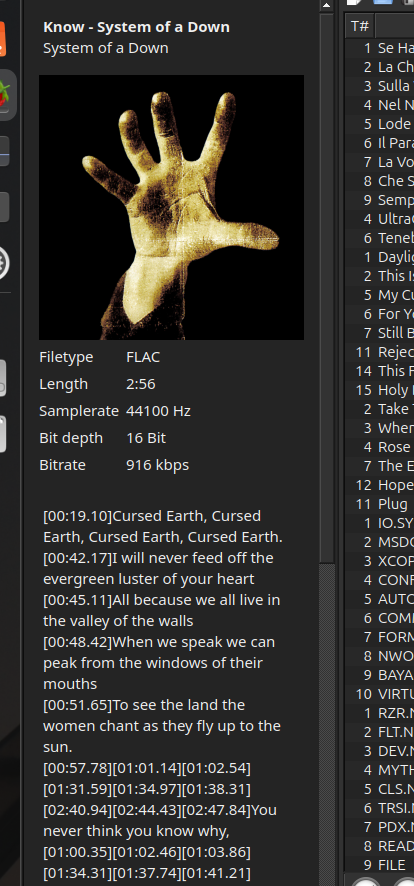
    I'd also like to voice some suggestions regarding synced lyrics, it would be best when timestamps are available to use the foobar2000 approach of highlighting the current row or, if timestamps are unavailable, autoscroll the lyrics in sync to the song's progress.
  • Version 1.2.21 released

    Announcements
    1
    2 Votes
    1 Posts
    952 Views
    No one has replied
  • 0 Votes
    2 Posts
    1k Views
    S
    Unless there is something wrong with your system, all the functionality you referenced exists in Strawberry. To shuffle a playlist, right click on the playlist and select "Shuffle playlist", or press Ctrl+H. The shuffle buttons are only for setting the actual playback behavior. To jump to the currently playing track, press Ctrl+J. You can also select this in Menu > Playlist. You found the star. Not sure why this was not evident. Maybe something with your theme, making the icon hard to see? Use your hover tooltips to get useful info. Also, right click menus have many, many options. And explore keyboard shortcuts. They can be handy. Finally, a suggestion -- When you post, try not to let it devolve into a rant right off the bat. Tighten up your writing; less stream of consciousness. That was a formidable wall of text. Hope you get things sorted and can enjoy Strawberry. It's a great application! Good luck!
  • 0 Votes
    3 Posts
    2k Views
    jonasJ
    tak is already supported by gst-libav, but TagLib doesn't support it so Strawberry won't read the tags.
  • Volume HiRes flac on SB 1.2.19 Mac barely audible

    Technical Help
    3
    0 Votes
    3 Posts
    1k Views
    jonasJ
    @dick Thanks for sharing the solution, what was the fallback again setting set to?
  • 0 Votes
    5 Posts
    3k Views
    jonasJ
    @Hoshiet Change some columns, then go to Music / Quit, re-open Strawberry, are they then saved? if not, please do a backtrace so we can see if it crashes: https://wiki.strawberrymusicplayer.org/wiki/Backtrace Or use coredumpctl list and check if it crashed previously.
  • Version 1.2.20 released

    Announcements
    1
    3 Votes
    1 Posts
    989 Views
    No one has replied
  • 1 Votes
    4 Posts
    2k Views
    K
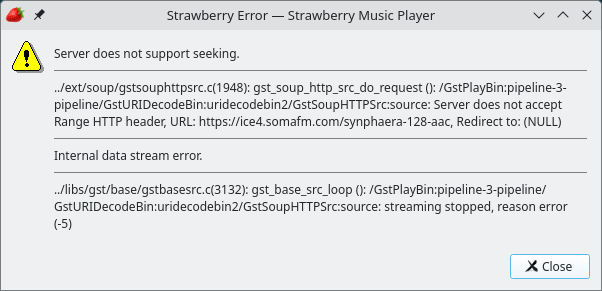
    @johann This is still happening here on 6/20/26. I think it's short disconnects caused by comcast. Using Kubuntu 6.04.
  • Keeping columns over restarts

    Technical Help
    1
    0 Votes
    1 Posts
    884 Views
    No one has replied
  • 0 Votes
    2 Posts
    2k Views
    S
    @Madp03t It is under your profile. Click on the three vertical dots, then select "Edit". It is easy from there.
  • 0 Votes
    5 Posts
    2k Views
    D
    Thanks for your suggestions. it seems to work now, but I don't remember what I did, sorry. At least most of the stuff I wanted to be transferred has been transferred. I haven't used the script, at least I think I haven't. (I'm sorry, my memory plays tricks on me sometimes).
  • Sorting in a particular order

    Technical Help
    1
    0 Votes
    1 Posts
    813 Views
    No one has replied
  • 0 Votes
    7 Posts
    3k Views
    F
    @jonas Jonas: I complete understand, and this bug does not seem to be a strawberry bug. My son suggested I consult OpenAI Codex for a solution. It did not provide a solution, but did diagnose the problem and developed a kludgy workaround. Most of the following text is written by Codex: The issue seems to be tied specifically to Strawberry being left in the Paused state under WSLg, if I swtich to another window or open Settings. If I Stop playback before changing settings, playback can be restarted normally. If I Pause playback, then either change settings or sometimes just switch away from Strawberry and come back, playback can become unresponsive. While debugging, pactl sometimes showed Strawberry’s PulseAudio stream stuck/corked, and other times Strawberry had no active sink-input even though the app still thought it could resume. Plain GStreamer playback of the same MP3 worked when run outside Strawberry, so the strongest clue is that Strawberry/GStreamer’s paused pipeline does not survive some WSLg/PulseAudio state transition. The workaround Codex developed for me is: launch Strawberry with explicit WSLg-safe environment: QT_QPA_PLATFORM=xcb PULSE_SERVER=unix:/mnt/wslg/PulseServer XDG_RUNTIME_DIR=/mnt/wslg/runtime-dir keep Strawberry output as pulsesink disable playbin3, crossfade/fade effects, loudness normalization, and Strawberry volume control run a small user service that watches Strawberry’s MPRIS state. If Strawberry stays paused for more than ~10 seconds, or if settings are saved while paused, it records the playback position, sends Stop, and then seeks back to the saved position when playback starts again. This is definitely a workaround, not a real fix. The practical conclusion is: Stop is safe, but Pause is fragile under WSLg. This makes Strawberry on WSLg usable for now, but it confirms the bug is around the paused playback state. I will submit a bug report to WSLg about this (yeah, Codex is helping me on that, too)