• Lyrics not working

    2
    0 Votes
    2 Posts
    596 Views
    B
    @niko Please see this thread.
  • 0 Votes
    2 Posts
    2k Views
    jonasJ
    @shilmaz You are missing a gstreamer plugin called bs2b, part of gstreamer bad. Install that or uncheck "Improve headphone listening of stereo audio records" in the backend settings.
  • mac catalina does not start at all

    3
    0 Votes
    3 Posts
    627 Views
    M
    @jonas Perhaps you should consider including that information and also indicating which version each system is no longer supported on. Regards
  • Putting albums under artist name

    1
    0 Votes
    1 Posts
    361 Views
    No one has replied
  • Mac Ventura Permissions for Accessing external drives

    1
    2
    0 Votes
    1 Posts
    345 Views
    No one has replied
  • No monkey audio because of "missing gstreamer plugin"

    2
    0 Votes
    2 Posts
    774 Views
    jonasJ
    @nakau Does gst-inspect-1.0 libav | grep ape show Monkey's Audio decoder? Does the file play using gst-launch-1.0? Did you try to clear the gstreamer plugin cache? Delete ~/.cache/gstreamer-1.0/registry.x86_64.bin
  • Where is the setting to determine when a song is played?

    3
    0 Votes
    3 Posts
    743 Views
    M
    @jonas Thanks. That's what I figured. I never liked that anyway. I say "played" is actually played not sorta played.
  • Import playcounts/settings from clementine

    1
    0 Votes
    1 Posts
    296 Views
    No one has replied
  • remember the volume settings

    5
    0 Votes
    5 Posts
    1k Views
    A
    @jonas No logs were created when closed.... and now it works just fine. I don't get it. For weeks this has had an issue, then you reply to my post and then it magically works. Thank you for your help.
  • Straw-Calfplugin-System

    2
    0 Votes
    2 Posts
    506 Views
    P
    Solved: https://gitlab.freedesktop.org/pipewire/pipewire/-/wikis/Config-JACK#calfjackhost-example With this the connection from strawberrymusic-player and calfeffects are stable.
  • Raspberry Pi 4b using Ubuntu random stops using NAS

    6
    0 Votes
    6 Posts
    1k Views
    P
    @jonas Found this website that help me resolve my issue. https://www.vuepilot.com/support/article/fixing-raspberry-pi-audio-issues/ Simple fix. I hope this helps someone else who is having similar issues.
  • Can I disable "Resource not found" pop-up?

    1
    1 Votes
    1 Posts
    523 Views
    No one has replied
  • Interface size keeps changing

    1
    0 Votes
    1 Posts
    452 Views
    No one has replied
  • Gapless playback not working

    4
    2
    0 Votes
    4 Posts
    961 Views
    jonasJ
    @ben2talk The pre-loading starts 5 seconds before the end of the track, if you seek after that, it's not enough time to buffer the next track to make it gap-less.
  • Color settings missing in version 1.0.14

    7
    1
    0 Votes
    7 Posts
    2k Views
    B
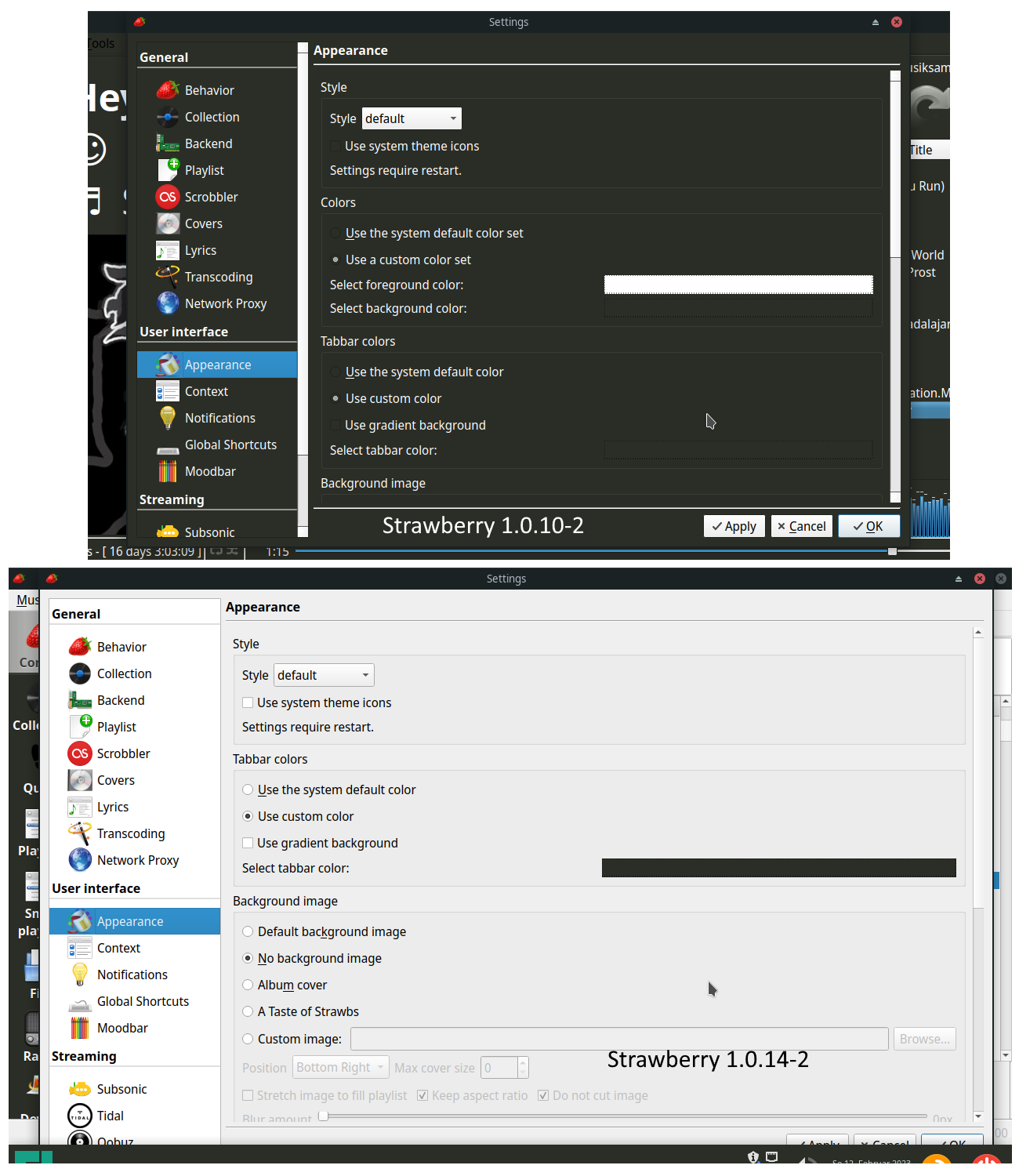
    @Cooker_8872 The settings were removed in 1.0.12. So you would have to downgrade to 1.0.11. But maybe the workaround using qt6ct works for you too.
  • Install on Raspberry Pi 4 64 bit

    3
    0 Votes
    3 Posts
    3k Views
    B
    @jonas thank you! A fantastic reply. I went for adding the backports and, as you thought, strawberry is available as a result. All installed and ready to go. Thanks again.
  • Send the sound to a upnp server

    1
    0 Votes
    1 Posts
    409 Views
    No one has replied
  • Migration from opensuse

    25
    0 Votes
    25 Posts
    29k Views
    P
    @jonas Yes i tested the last buid on another computer where i don't deleted the db and it is working also
  • Collection search not always working

    4
    0 Votes
    4 Posts
    1k Views
    jonasJ
    If this is the same issue as https://github.com/strawberrymusicplayer/strawberry/issues/1140, it should be fixed now. Test with the latest from https://builds.strawberrymusicplayer.org/
  • Unable to build under macOS, taglib package missing

    2
    0 Votes
    2 Posts
    1k Views
    jonasJ
    @lorenzolamasse You can run cmake with extra -D parameters to specify the location of taglib. Configure using TAGLIB_INCLUDE_DIRS, TAGLIB_LIBRARY_DIRS and TAGLIB_LIBRARIES. To find the include directory, look for the directory containing tag.h and use the parent directory of the "taglib" directory. To find the library directory, look for libtag.dylib. Something like this: cmake .. -DCMAKE_BUILD_TYPE=Release -DCMAKE_PREFIX_PATH="/opt/homebrew/opt/qt6/lib/cmake" -DBUILD_WITH_QT6=ON -DUSE_BUNDLE=ON -DICU_ROOT="/usr/local/opt/icu4c" -DTAGLIB_INCLUDE_DIRS="/opt/homebrew/opt/taglib/include" -DTAGLIB_LIBRARY_DIRS="/opt/homebrew/opt/taglib/lib" -DTAGLIB_LIBRARIES="/opt/homebrew/opt/taglib/lib/libtag.dylib" I didn't test this, modify the dirs if they are wrong.